
Download QMWHEEL Balance App – Free Android App for Balance Car Users
Overview
The QMWHEEL Balance App is a free Android application developed by SHENZHEN QINGMAI BICYCLE CO.LTD., designed specifically for users of the QMWHEEL balance car. As a lifestyle tool, the app enhances the riding experience by providing real-time monitoring and customization features. It serves as a digital companion to the physical device, offering users greater control and insight into their travel data. The app is tailored for individuals who own or are interested in electric balance cars, particularly those seeking a seamless integration between their mobility device and a smartphone interface.
Primary functions include speed tracking, battery level monitoring, and mileage recording—key metrics for daily commuters and recreational riders alike. The app also enables users to adjust speed limits and manage lighting settings, allowing for personalized riding preferences. Real-time location mapping provides a visual record of routes taken, which can be useful for tracking travel patterns or sharing rides with others. While the developer did not provide additional system requirements, the app is compatible with Android devices and is designed to operate with minimal disruption to the user’s mobile experience.
Key Features & Capabilities
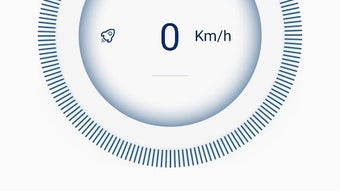
- Real-time Speed Monitoring – Displays current riding speed, helping users maintain safe and consistent travel rates.
- Mileage Tracking – Records total distance traveled over time, useful for fitness tracking or usage analysis.
- Battery Level Monitoring – Shows the remaining charge of the balance car’s battery, enabling better trip planning.
- Speed Limit Customization – Allows users to set maximum speed thresholds based on skill level or local regulations.
- Light Control – Enables on/off toggling of front and rear lights for improved visibility during night rides.
- Route Mapping – Displays current location and historical travel paths on an integrated map interface.
These features collectively support a safer, more informed riding experience. For example, users can review past routes to identify frequently used paths or assess battery consumption over distance. The ability to set speed limits is particularly beneficial for beginners or riders in shared public spaces. The app’s interface is described as user-friendly and modern, promoting intuitive access to critical data without requiring technical knowledge.
User Interface, Workflow & Performance
The QMWHEEL Balance App features a clean and minimalistic design, emphasizing clarity and ease of navigation. The layout is structured around core metrics—speed, battery, and route—ensuring that essential information is accessible at a glance. Users can switch between different views with simple taps, streamlining the interaction process. The workflow is linear and efficient, guiding users from basic monitoring to advanced settings with minimal friction.
While exact performance details were not specified, the app is designed to operate in the background while the balance car is in use, suggesting optimized resource usage. The developer did not provide information on CPU or RAM consumption, nor on stability under prolonged use. However, given its lightweight size of 15.8 MB and focus on real-time data synchronization, it is likely built for low-latency operation. General software behavior patterns suggest that the app maintains responsiveness during active rides, though actual performance may vary based on device hardware and Bluetooth connectivity.
Compatibility & System Requirements
The QMWHEEL Balance App is designed for Android operating systems and is available in version 1.0.0. It has a file size of 15.8 MB, indicating a lightweight installation that should not significantly impact storage space on most modern devices. The developer did not specify exact system requirements, including minimum Android version or hardware specifications such as RAM or processor type.
Platform compatibility information is limited to Android, with no indication of support for iOS or other mobile platforms. Users are advised to ensure their device supports Bluetooth connectivity for full functionality, as the app relies on pairing with the balance car. The developer did not provide details on compatibility with older Android versions or low-end devices. For optimal performance, users may need to verify that their phone’s Bluetooth module is compatible with the QMWHEEL device.
Pros and Cons
Pros
- Free to download and use, making it accessible to all QMWHEEL owners.
- Intuitive interface with modern design for easy navigation.
- Real-time monitoring of speed, battery, and mileage.
- Customizable speed limits and lighting settings for safer riding.
- Route mapping feature enables travel history tracking.
Cons
- Only available for Android devices; no iOS support mentioned.
- Exact system requirements were not provided.
- Performance and stability details are not disclosed.
- Limited to QMWHEEL balance car users; not suitable for other devices.
- Relies on Bluetooth connectivity, which may affect reliability in crowded areas.
FAQ Section
Is the QMWHEEL Balance App free to download?
Yes, the app is available at no cost. It is listed as a free application on the Android platform.
Which devices is the app compatible with?
The app is designed for Android smartphones and tablets. Specific compatibility details with device models or Android versions were not provided by the developer.
Does the app require an internet connection?
The app primarily uses Bluetooth to communicate with the balance car. While some features like route mapping may require internet access for map rendering, core functions such as speed and battery monitoring can operate offline.
Can I use the app with other balance cars?
No. The app is specifically developed for QMWHEEL balance cars and may not support other brands or models.
How often does the app update?
The developer has not disclosed an update schedule. The current version is 1.0.0, released on December 10, 2023.
Final Thoughts + CTA
The QMWHEEL Balance App delivers a focused and functional experience for users of the QMWHEEL balance car. With its clean interface, real-time data tracking, and customizable settings, it enhances both safety and usability. While it lacks broader compatibility and detailed technical specifications, its targeted design ensures reliable performance for its intended audience. The absence of a price tag makes it a compelling choice for riders looking to maximize their device’s potential.
For anyone invested in the QMWHEEL ecosystem, this app is a must-have tool. It transforms a simple personal mobility device into a smart, data-aware experience. Whether used for commuting, fitness, or recreation, the app adds meaningful value to the ride.
Download QMWHEEL Balance App now





.png)

